The building's done.The binder isn't.
CloseoutReady turns the closeout folder into the owner's O&M manual. Drop the whole folder: every file goes under its CSI division, and the branded cover, contents, dividers and Bluebeam bookmarks are built for you.
Free for 7 days per project. $199 when you download the finished manual.
In our November 2026 test of 352 real closeout files with their names hidden, none went in the wrong division; 7 waited for one click.
Retainage waits on the manual.
Weeks of hand-sorting
Someone opens every PDF, works out which division it belongs to, renames it and files it. On a large job that is hundreds of files.
Retainage waits on the manual
Final payment is often held until the owner accepts the closeout package, so a slow manual is slow money.
A merged pile nobody can use
One giant PDF with no contents, no dividers and no bookmarks gets accepted, then ignored by the facility team that needs it.
From the folder to the owner's desk.
Drop the whole folder.
Drag in the closeout folder: PDFs, Word files and photos, nested folders and all. Every file is checked before anything is assembled.
Every file finds its division.
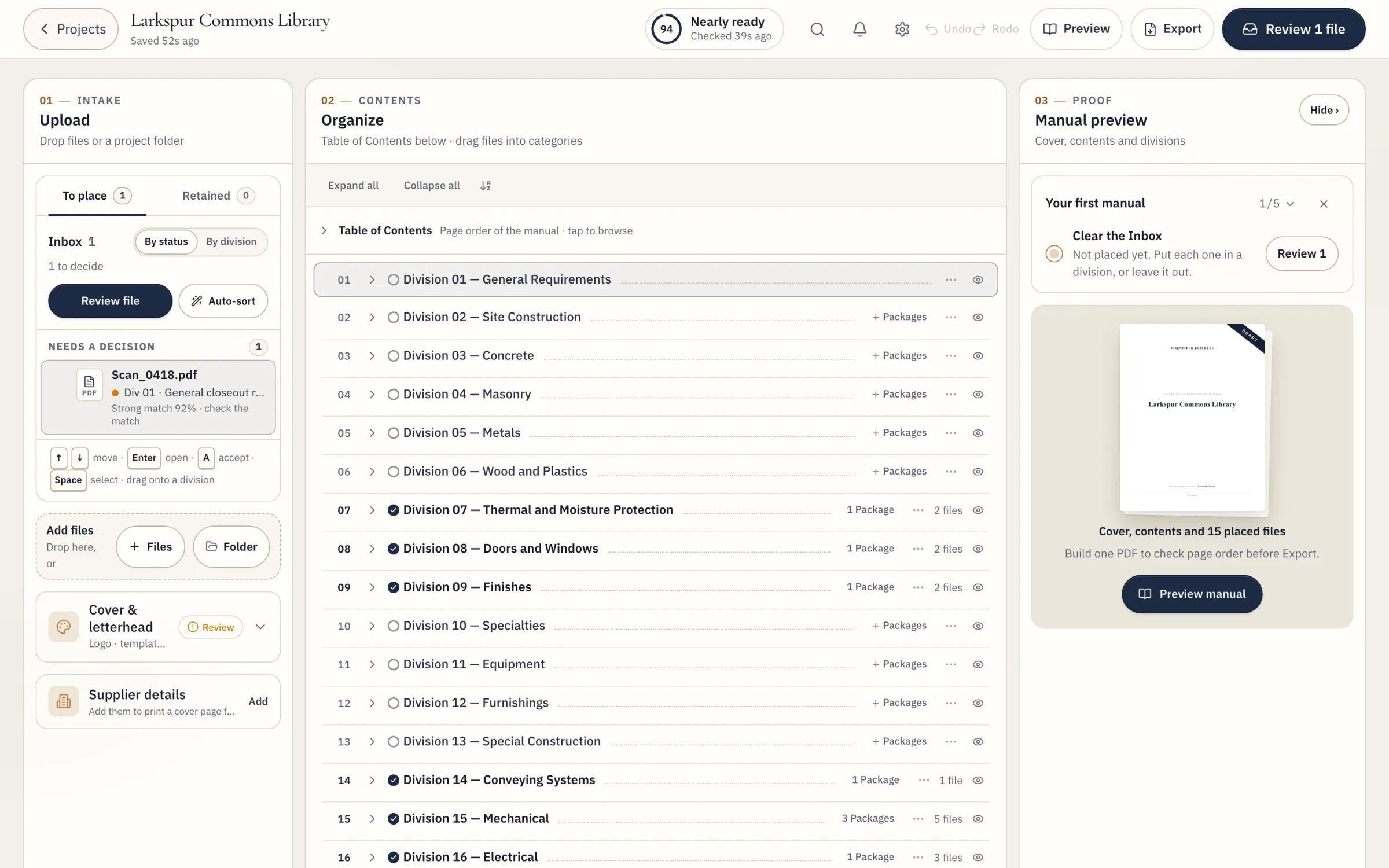
Files are placed into CSI divisions and packages. Anything the sort is unsure of waits for you with a suggestion you accept in one click.
The unsure ones wait for you.
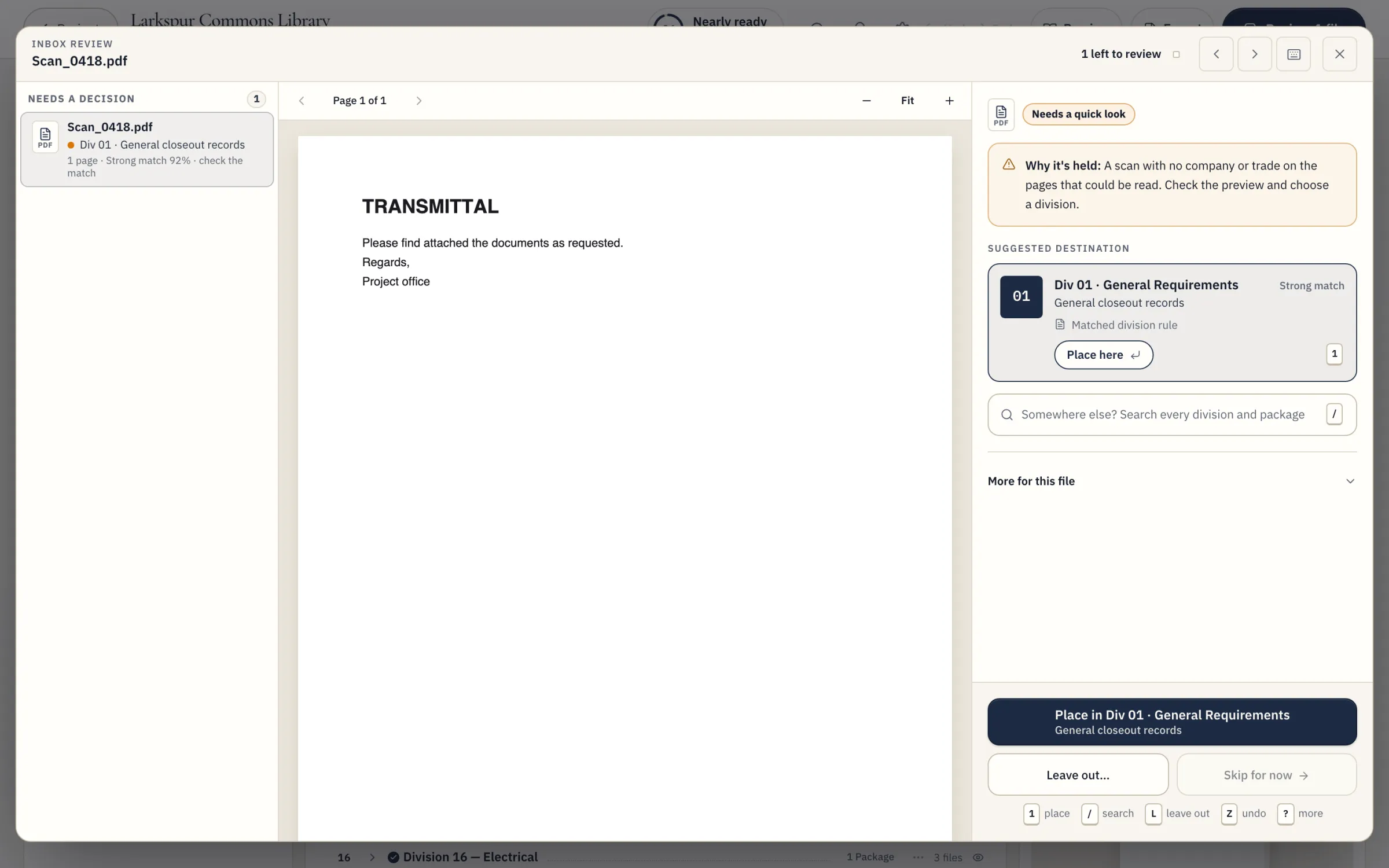
A file the sort can't place with confidence is held, not guessed. You see it with a reason and a suggestion, accept it in one click, or move it anywhere before you export.
Your logo. Your palette.
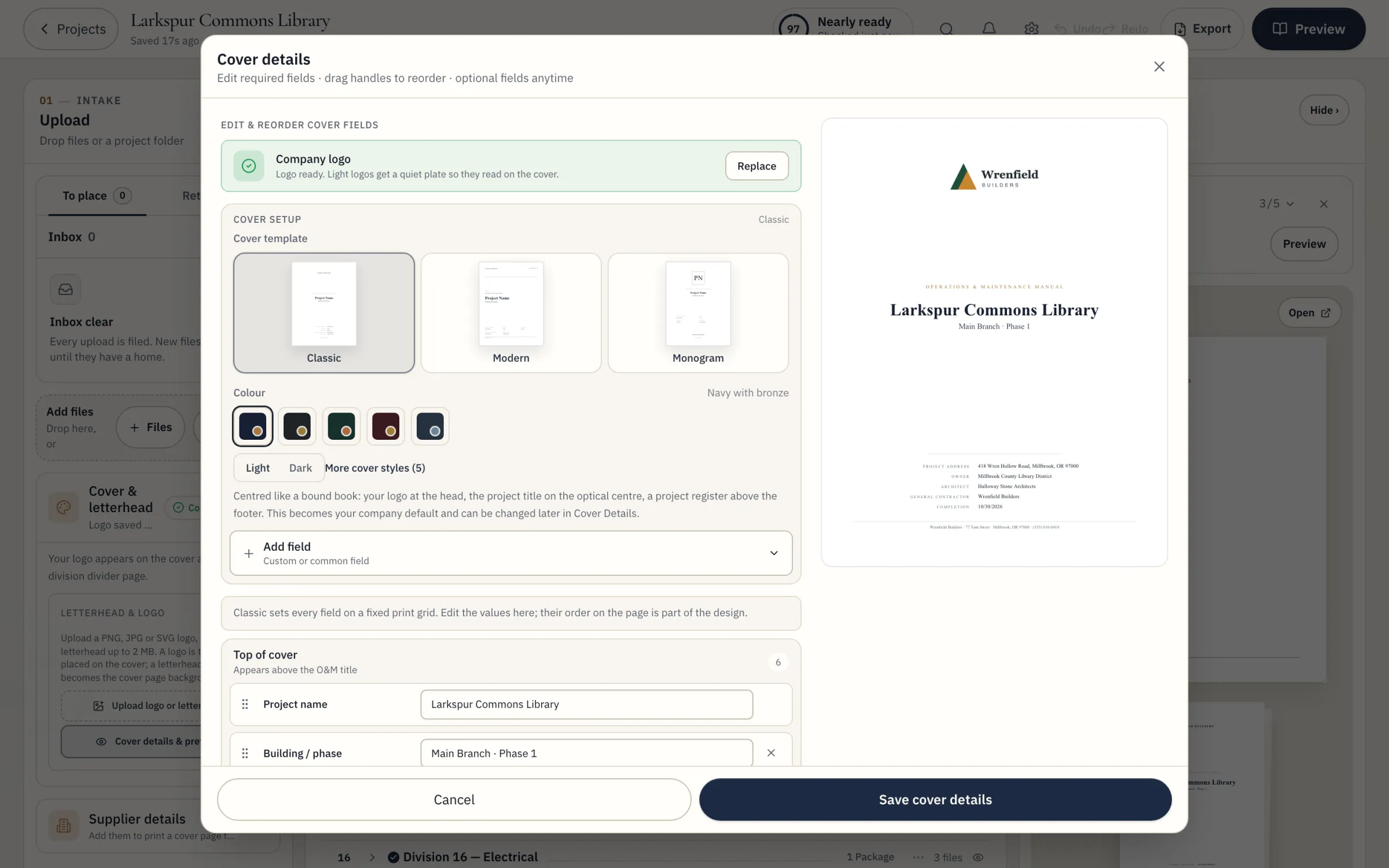
Five palettes, three templates, light or dark. Add your logo, or upload your own cover and divider sheets and the project details are written onto them.
See every page. Then export.
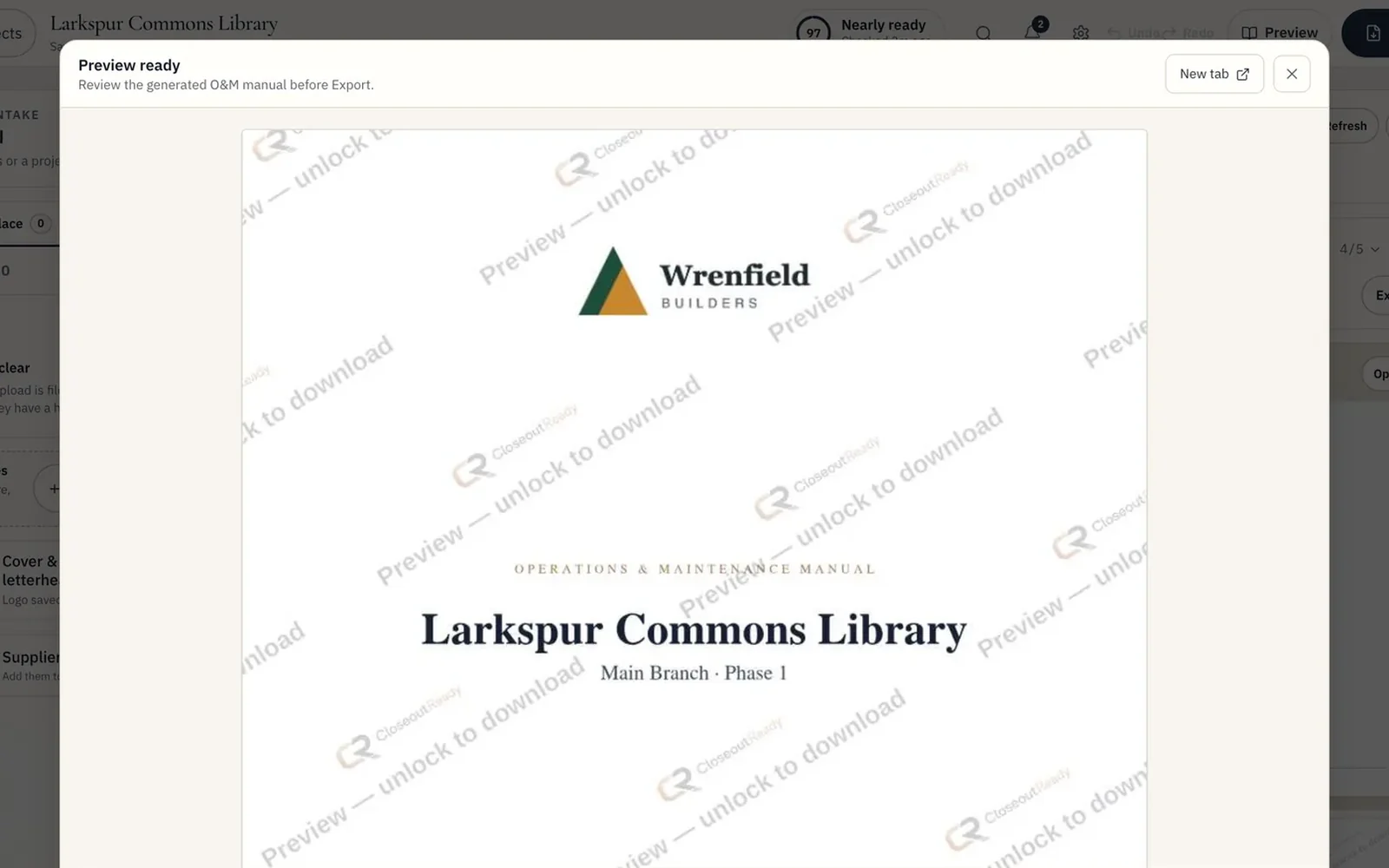
During the 7-day trial, page through every page of the manual, watermarked: cover, contents, dividers and documents. Move a file and the preview follows.
Sort a pile yourself.
Sixteen files from a sample project, in no order. Drop them on the binder and watch where each one goes, and which one waits for you.
- 01General Requirements0 files
- 07Thermal and Moisture Protection2 files
- 08Doors and Windows2 files
- 09Finishes2 files
- 14Conveying Systems1 files
- 15Mechanical5 files
- 16Electrical3 files
15 filed. 1 held for you.
Scan_0418.pdf is held. A scan with no company or trade on the pages that could be read. Suggested: Division 01, General Requirements.
A demonstration with the fictional sample project shown in the screenshots above; it does not read files. In the app, the sort reads each file you upload.
One PDF the owner can actually navigate.
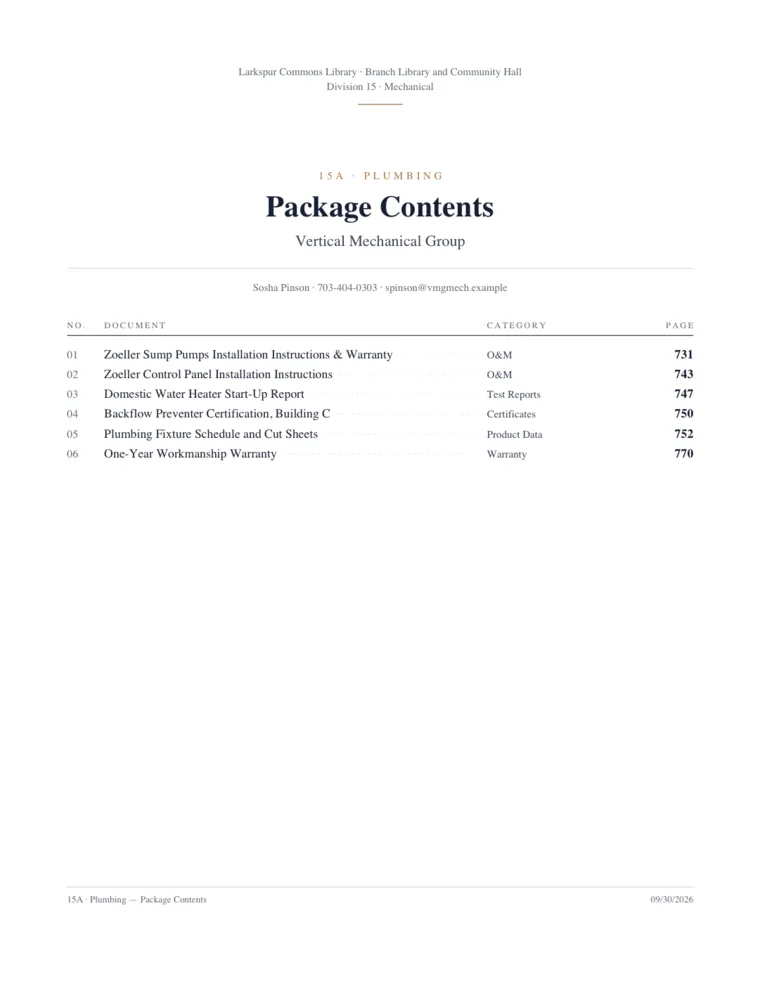
Not a merged pile of submittals. A bound manual with a cover, contents, dividers and bookmarks, in your company's branding.
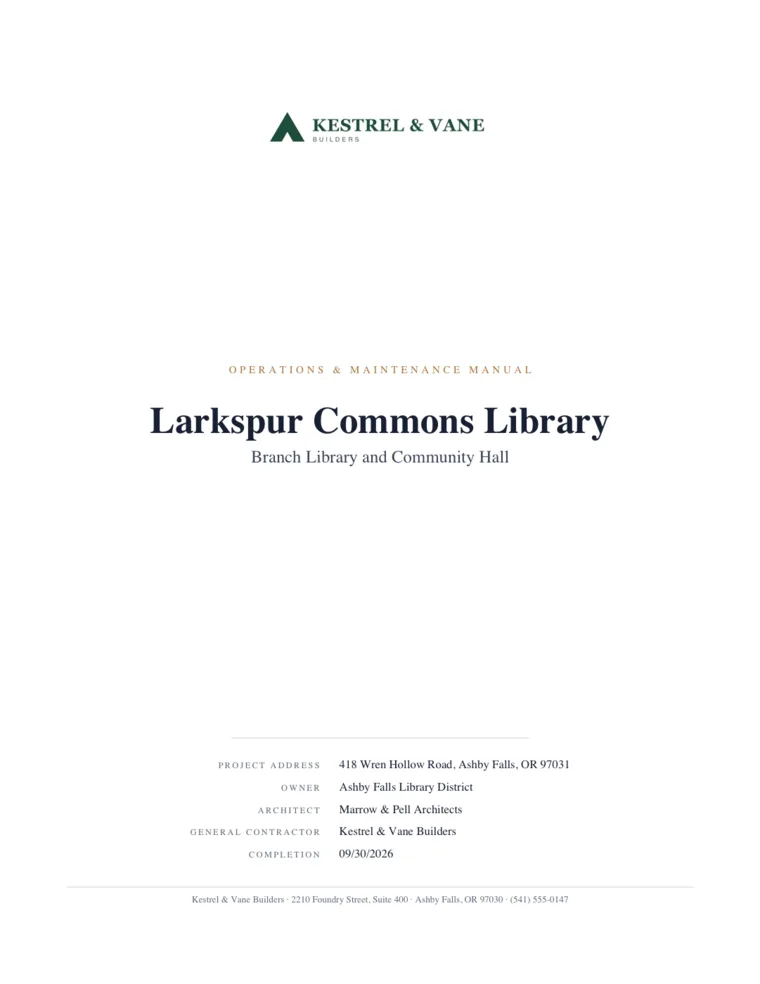
Project, address, owner, architect, contractor and completion date, under your logo.
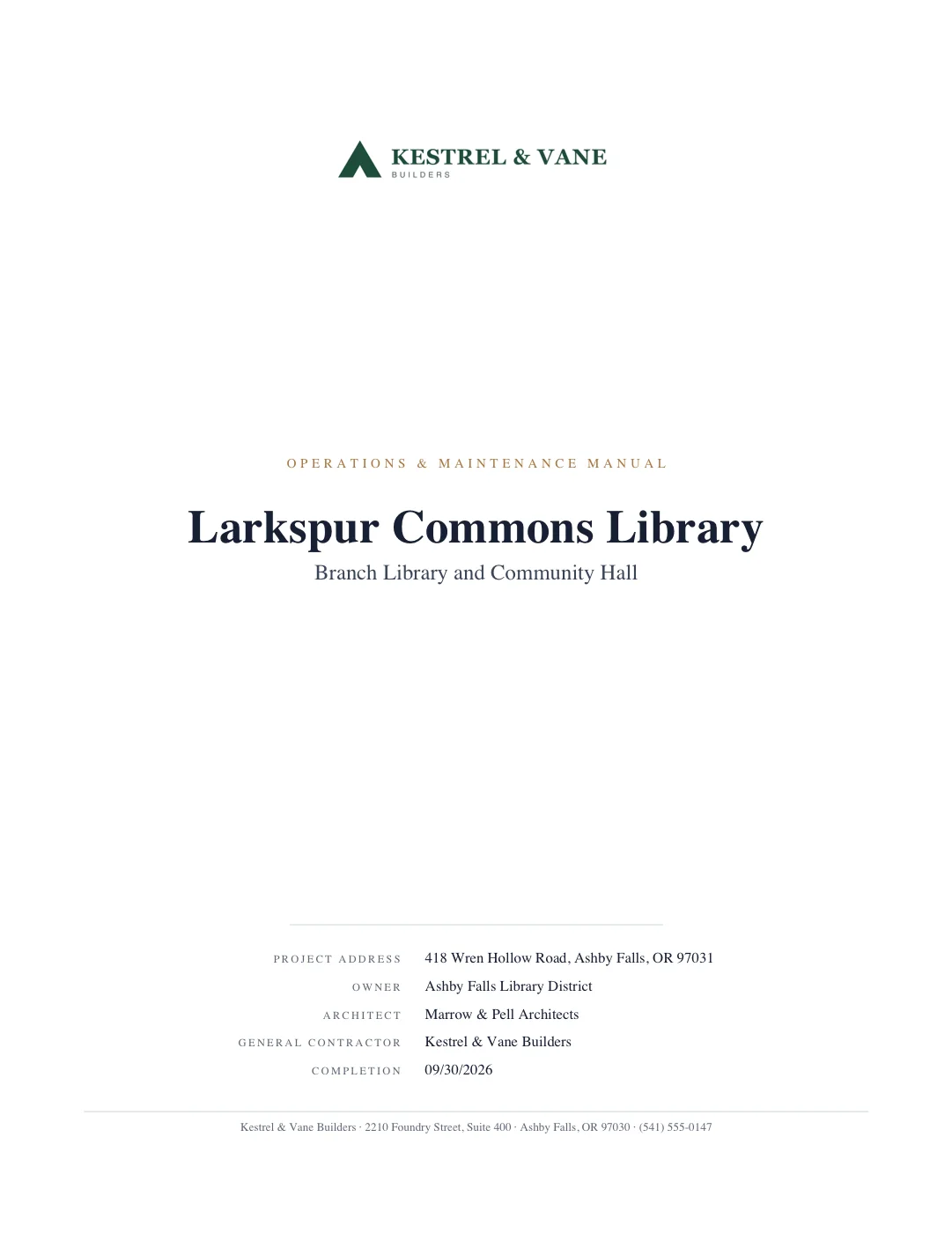
- Cover
- Project, address, owner, architect, contractor and completion date, set under your logo or letterhead.
- Contents
- Every division, package and document with its page number, generated from the sort.
- Dividers
- A clean page before each division and package, so the manual reads like a specification.
- Bookmarks
- Nested PDF bookmarks for Bluebeam and Acrobat, so the facility team can jump through a 1,000-page manual without scrolling.
Names off. Nothing misfiled.
In our November 2026 test of 352 real closeout files with their names hidden, none went in the wrong division; 7 waited for one click.
- in the right division
- 345
- held for one click
- 7
- of 352 in the wrong division
- 0
Blinded autosort exam: 352 closeout files from six GC projects, filenames hidden (November 2026). Our own test, not a customer result.
Each sheet is one file in the test. Orange: held for a one-click review.
Straight from the app.
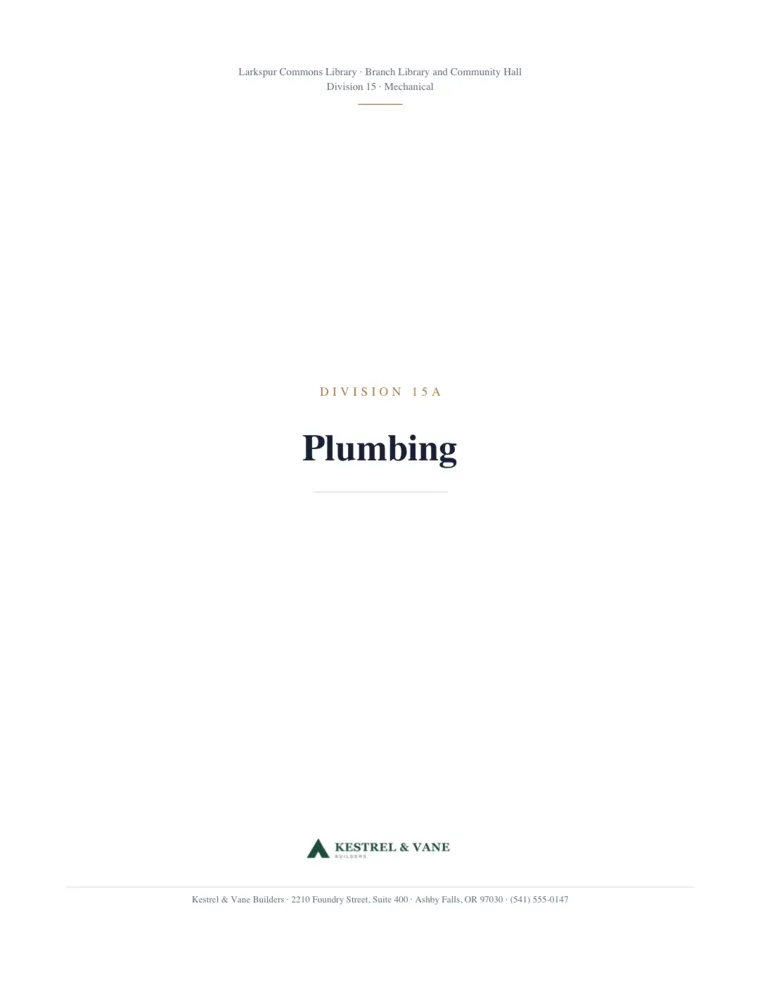
Every screen here is the real product, running a fictional sample project. Where an image needed help, the tile says so.
The full walkthrough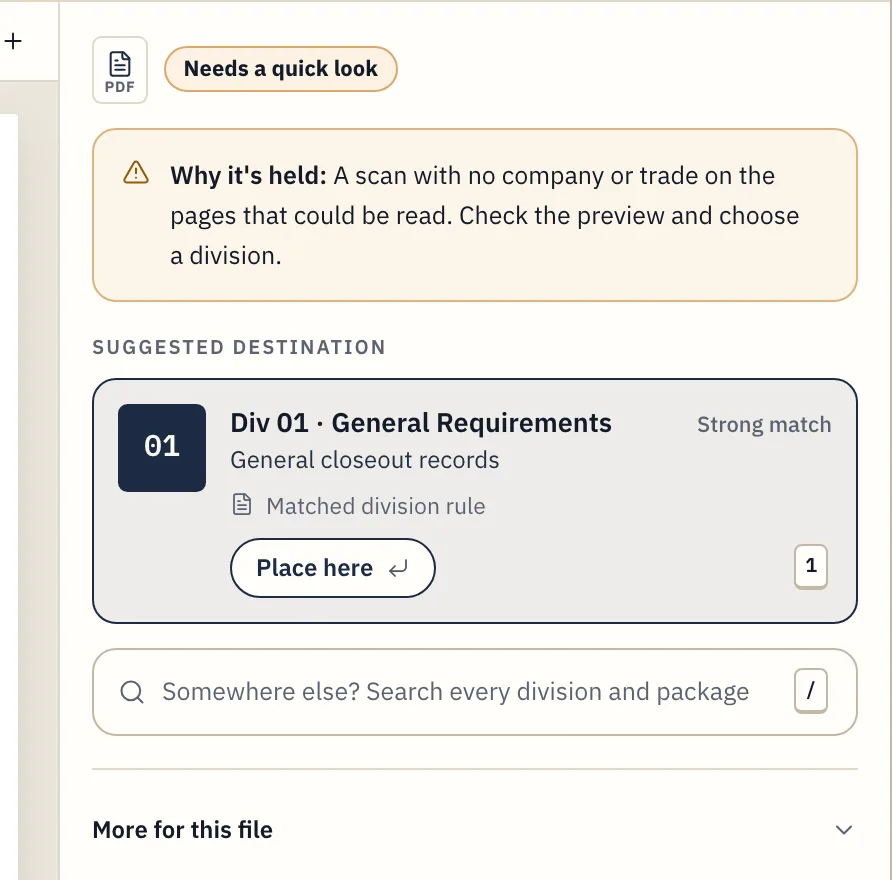
Anything uncertain waits for one click
A reason on every held or kept-out file
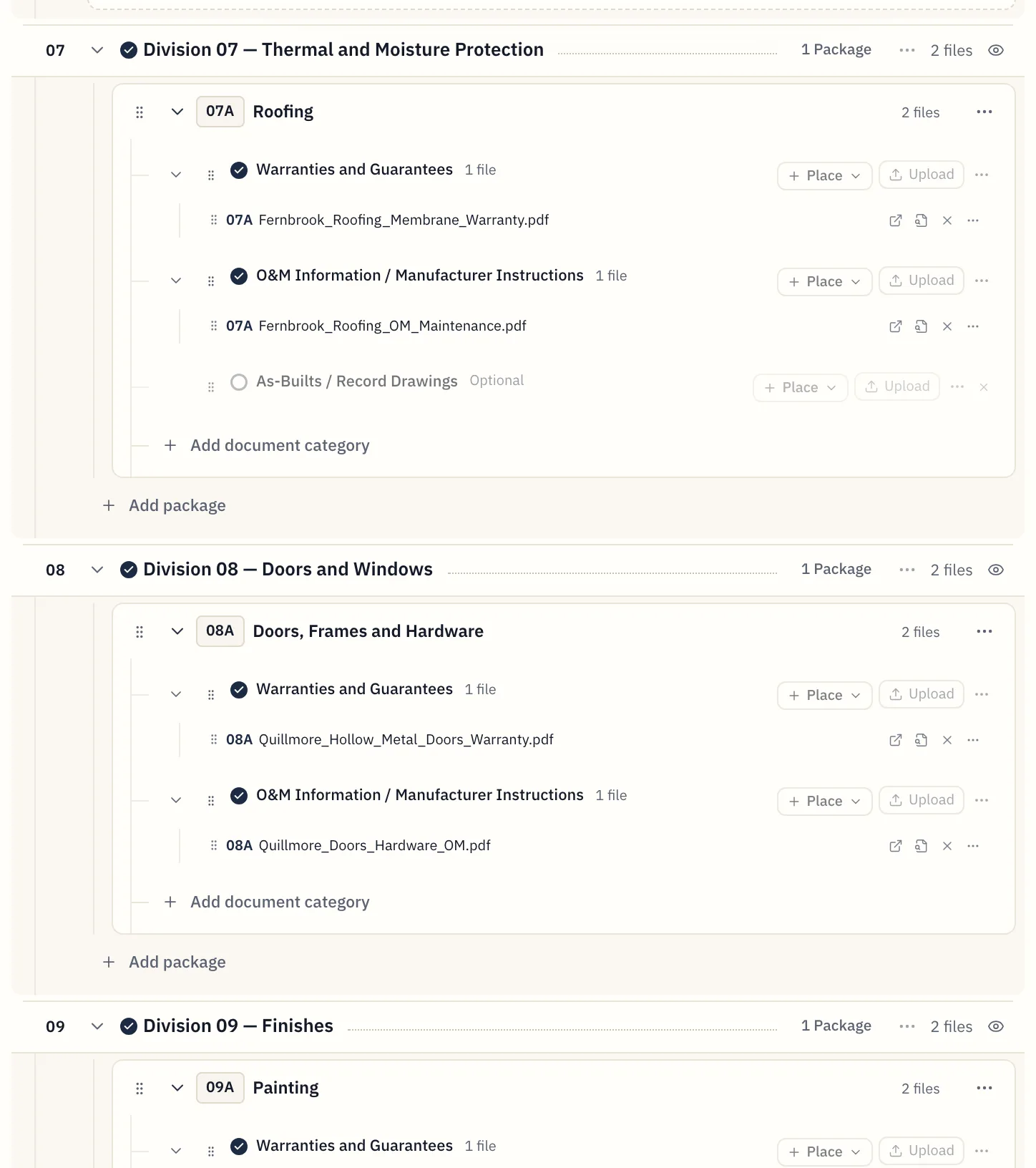
Every file lands in its CSI division
Blinded exam, November 2026: 352 real closeout files, 0 in the wrong division
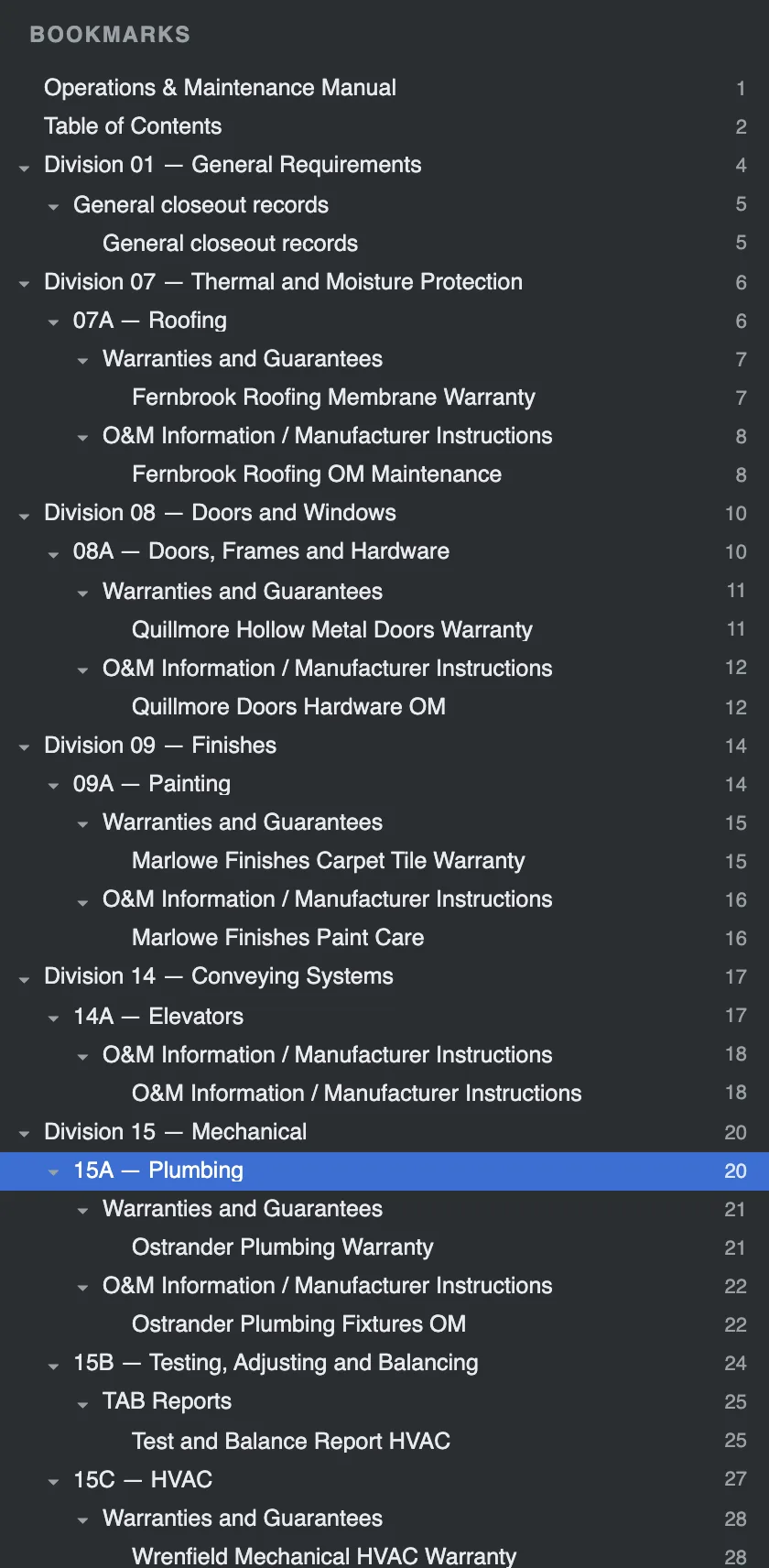
A manual the facility team can navigate
The sample manual's real bookmarks, in a viewer drawn for this page
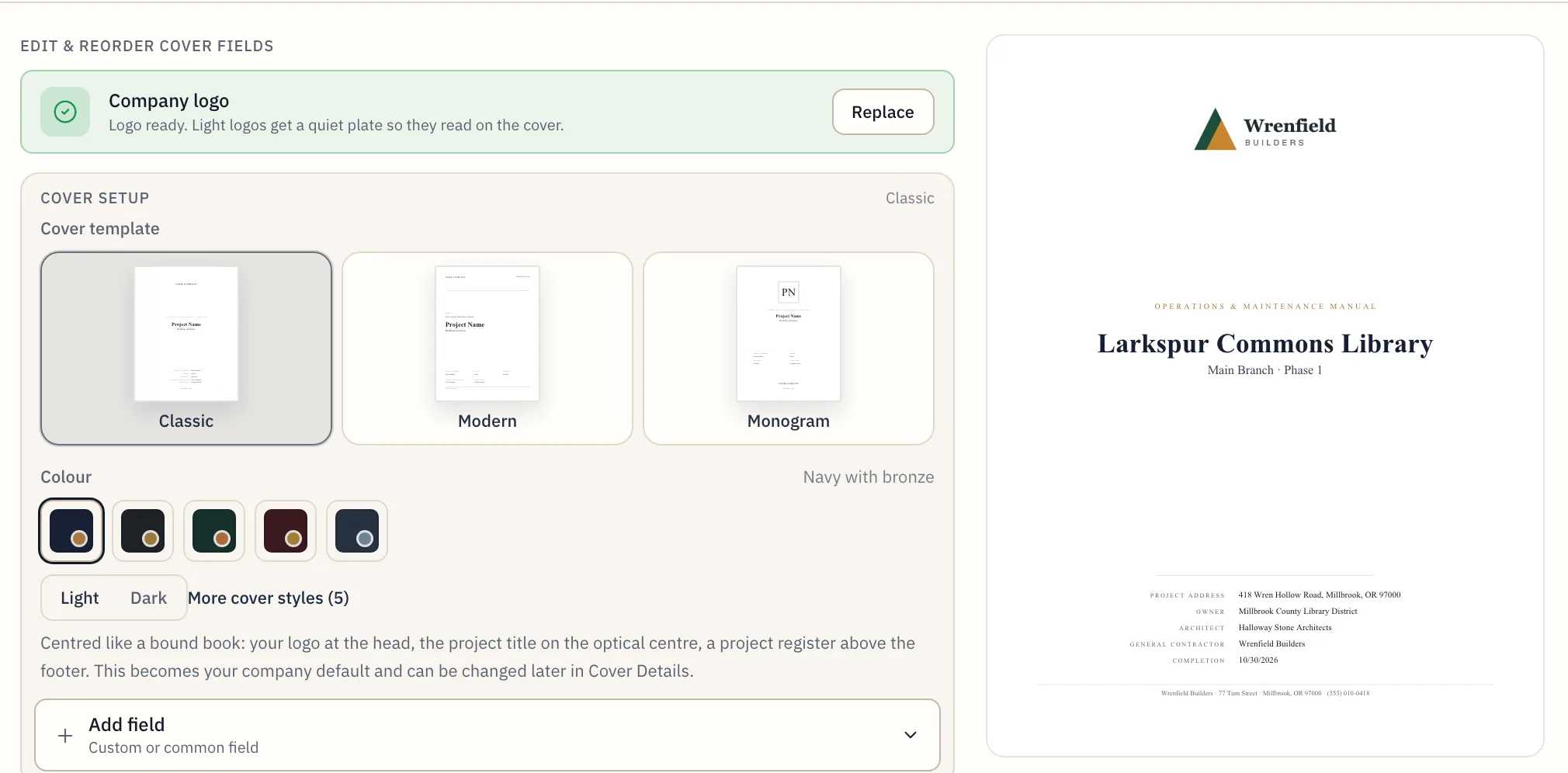
Your logo, your palette, your template
Cover: project, address, owner, architect, contractor, completion date
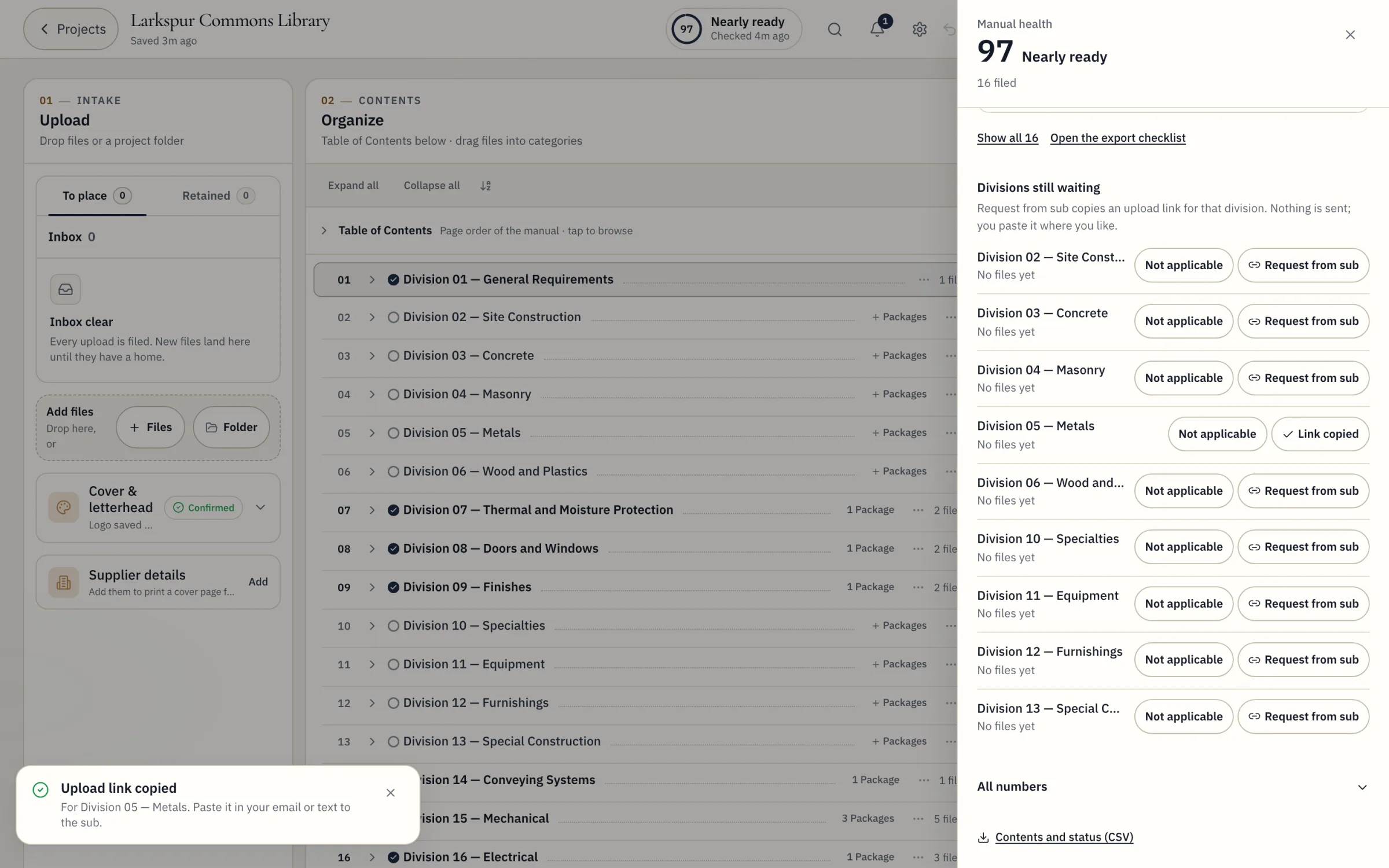
Your subs and the owner, in one project
Upload links for subs, no account needed
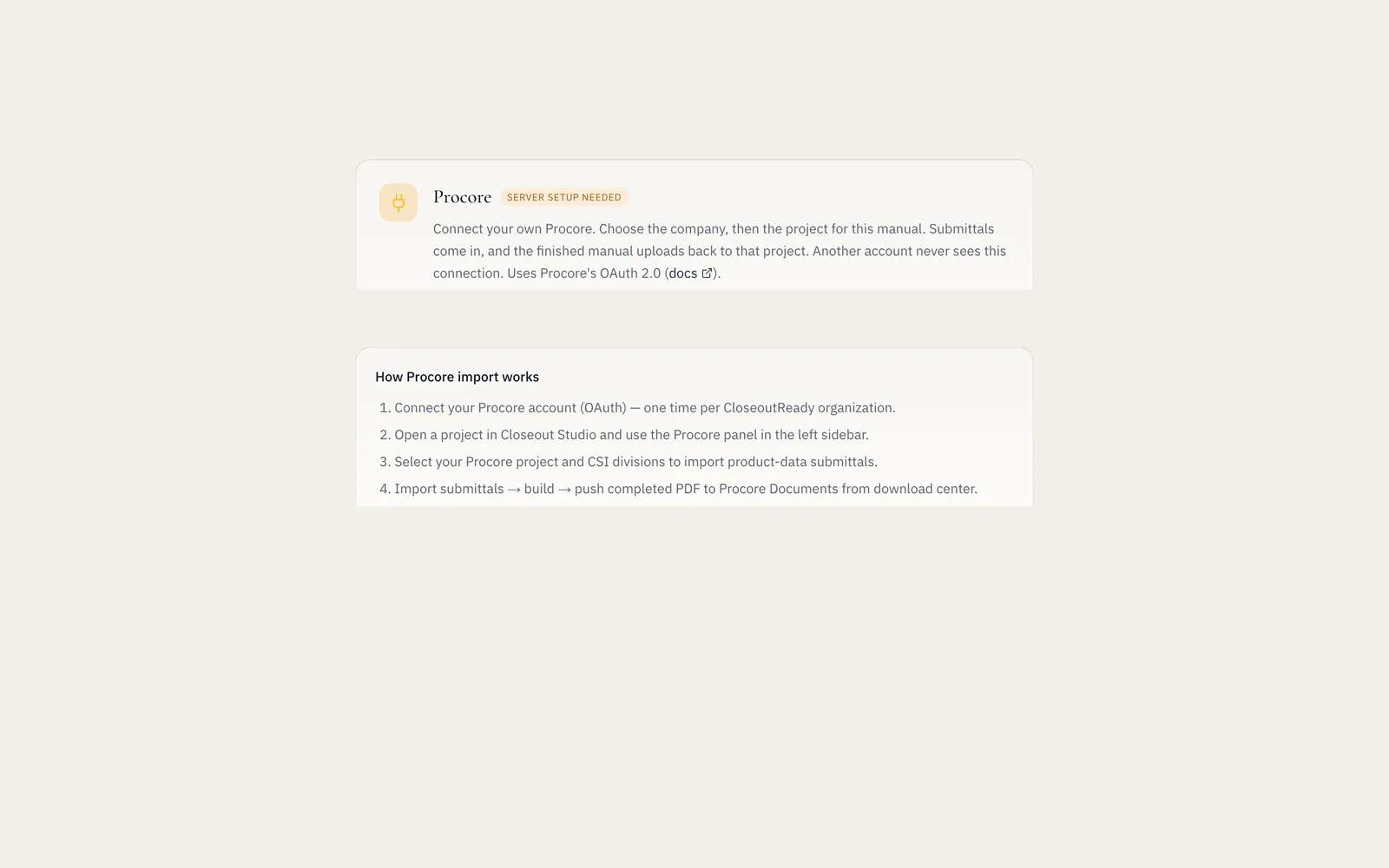
Procore in, the manual back out
Gated pilot, not generally available. Not connected in this screenshot
Screenshots from the app unless a tile says otherwise · sample project, fictional names
Free for 7 days. $199 when you download.
$0
The first 7 days of every project
Upload, sort, review and page through the whole manual, watermarked.
$199
Once, when you download the manual
No subscription and nothing renews. Paid projects stay stored and downloadable for as long as your account exists; edits and rebuilds are free for 90 days.
7 days
To change your mind
Full refund within 7 days of paying if the final manual has not been downloaded or exported. For business use only.
Payments go to AERA through PayPal. AERA is an Israeli exempt dealer (osek patur), number 315971192, so no VAT is charged.
The questions GCs ask first.
- Do we have to replace Procore?
- No. Keep collecting in Procore, email or Drive. CloseoutReady assembles the owner manual from whatever you collected. A Procore import is in a gated pilot.
- What if the sort gets a file wrong?
- Files the sort is unsure of are held, not guessed. You see each one with a suggestion and place it in one click, and you can move any file before you export.
- Our subs send files in every format.
- Once the project has a preview, send each sub an upload link: they drop their files straight into the project, no account needed. PDFs, Word files and photos go into the manual; Excel, PowerPoint and email files stay in the source ZIP. Upload links don't take CAD files, video or archives; a project ZIP can be uploaded from the project itself.
- What do we keep?
- The owner PDF, a ZIP of every original file and a contents CSV. They are ordinary files on your drive.
- Is there lock-in?
- No contract and no subscription. Each finished manual is $199, paid once through PayPal; nothing renews.
- What if we pay and it isn't right?
- You see every page, watermarked, before you pay. After paying, there is a full refund within 7 days as long as the final manual has not been downloaded or exported. It is sold for business use only.
Common questions.
Every questionWhat does CloseoutReady actually build?
A branded O&M handover PDF with cover page, table of contents, division pages, sorted closeout files, Bluebeam bookmarks, plus a source ZIP.
How much does a manual cost?
Each project is free for 7 days. Downloading the clean, complete manual is $199 per project, paid once through PayPal. There is no subscription. Paid projects stay stored and downloadable for as long as your account exists; edits and rebuilds are free for 90 days.
Is there a free trial?
Yes. Every project gets a 7-day free trial with everything: upload, auto-sort, review, covers and the full watermarked preview. No credit card. The clean final PDF and ZIP are $199 per project. Unpaid projects are kept 30 days from creation. Paid projects stay stored and downloadable for as long as your account exists; edits and rebuilds are free for 90 days.
Can I get a refund?
Full refund within 7 days of paying if the final manual has not been downloaded or exported. For business use only. The full policy is on the app's refund page.
Does this replace Procore?
No. Keep collecting in Procore, email, or Drive. CloseoutReady assembles the owner packet. One public Google Drive PDF-link import is live; OAuth folder connections are planned, and Procore remains a gated pilot.
Does the PDF work in Bluebeam?
Yes. The owner PDF carries nested bookmarks: division, then package, then document. They open the same way in Bluebeam Revu and Acrobat, so you can jump through a 1,000-page manual without scrolling.
Is my scanned paperwork sent to an AI service?
Only if the account owner allows it. Our own text recognition reads scans on our servers first. If the owner has chosen to allow cloud scan reading, images of up to the first two pages of a scan our servers cannot read are sent to Google Gemini, which returns the printed text; it does not decide where a file goes. If the owner keeps scans on our servers only, nothing is sent, and a scan we cannot read waits in the inbox for you to file by hand. The choice can be changed at any time in Settings.
Your next closeout, owner-ready.
Upload a real project and page through the whole manual, watermarked, before you pay. 7-day free trial per project, then $199 per project.
In our November 2026 test of 352 real closeout files with their names hidden, none went in the wrong division; 7 waited for one click.